Skip to content
TagFix

Offline · No account · iOS and Android

Punch list and site diary in one app

Capture defects with photos, write daily reports, sign handovers on site and share everything as a PDF.

  • For iPhone and iPadApp StoreComing soon
  • For AndroidGoogle PlayComing soon

Free to start. PDF reports are always free.
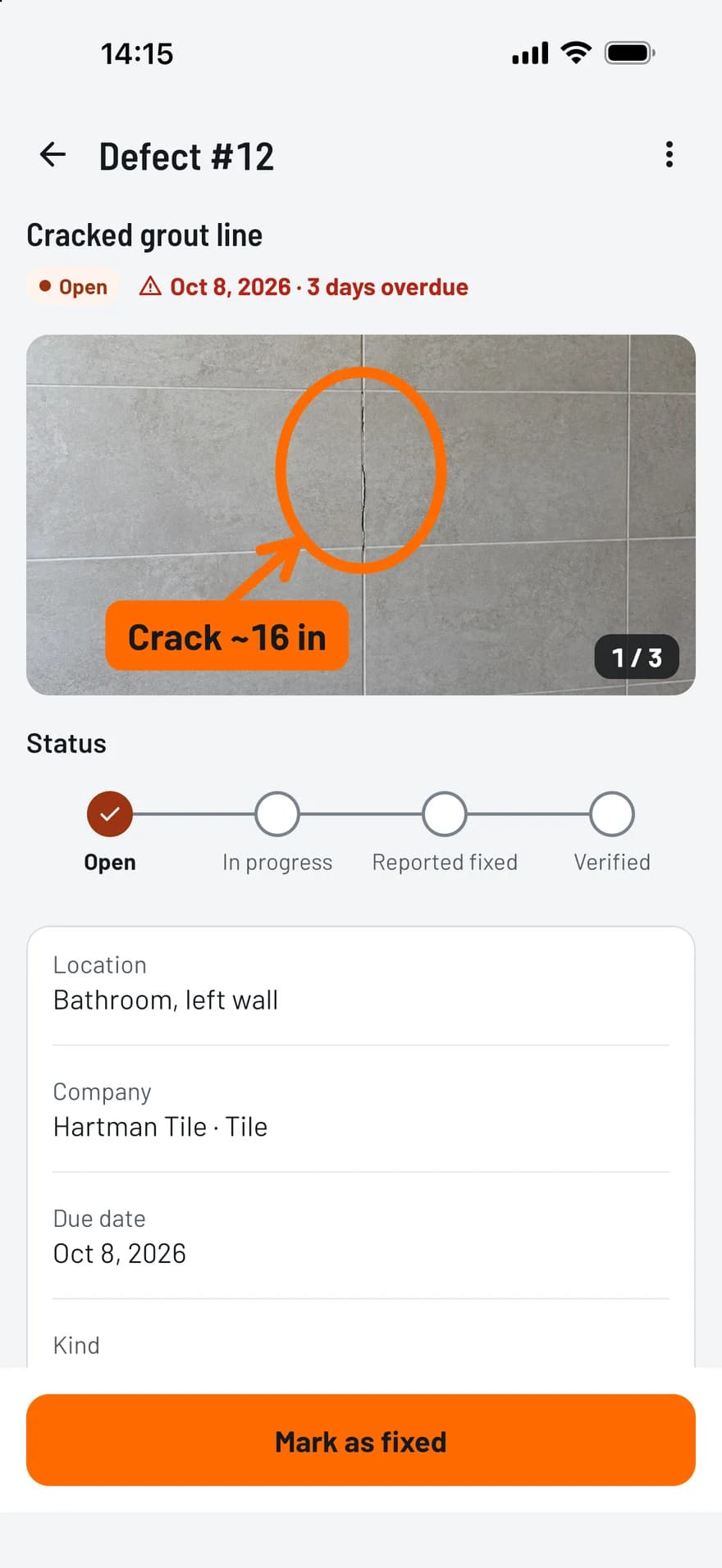
TagFix screen of a punch item with a marked-up photo, its status, company and due date

One app for the whole job site

From the first photo to the signed handover: TagFix keeps punch items, daily reports and protocols in one place.

  • Site diary

    Daily reports with weather, working hours, workforce per company and work done. Close the day and it is locked.

    About the site diary app
  • Punch list

    Every item with photo, location, company, due date and status. Overdue items stand out.

    About the punch list app
  • Handover

    Walk the site, record defects and reservations, and have everyone sign on the phone.

    About the handover app

Built for work on site

Large buttons, few taps and no waiting for a network.

  • Capture punch items with photos in seconds

    Take a photo, add a title, pick the company and a due date. Everything is saved as you type.

    TagFix screen of a punch item with a marked-up photo, its status, company and due date
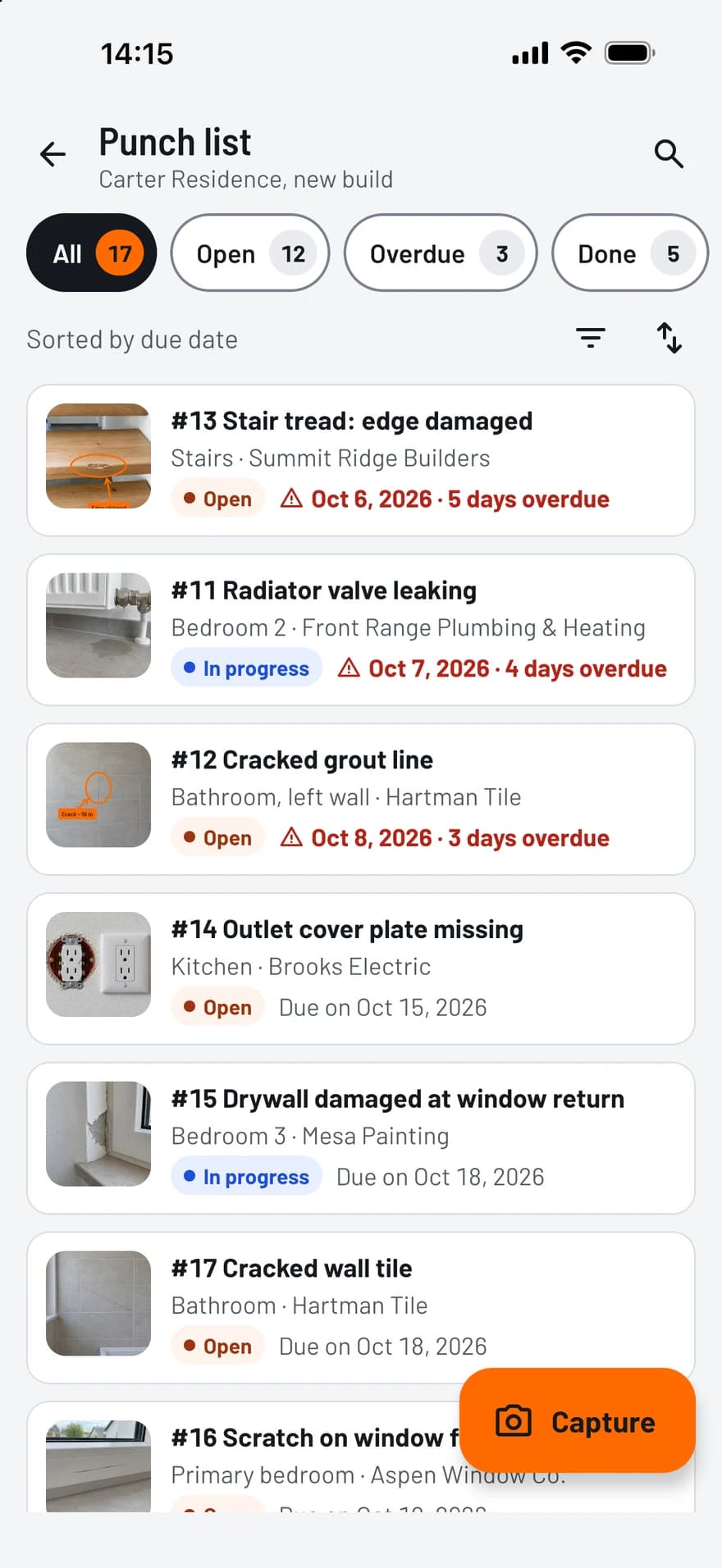
  • Every item with company, due date and status

    Filter by status, company or trade, and see at a glance what is overdue.

    TagFix punch list with photo thumbnails, status, companies and overdue due dates
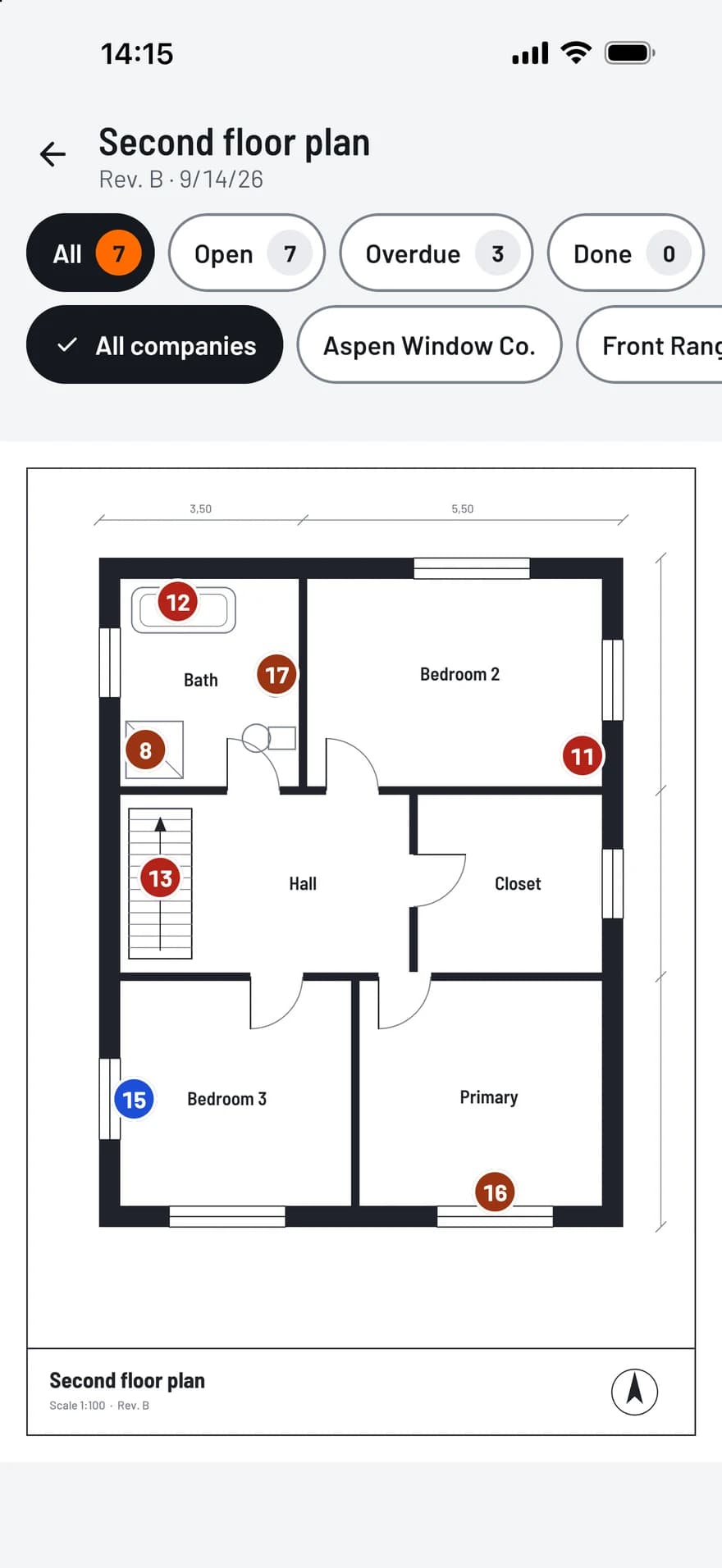
  • Pin punch items on your plans

    Import a plan as a PDF or an image and place numbered pins. The pin color shows the status.

    TagFix plan view: a floor plan with numbered pins in the status colors
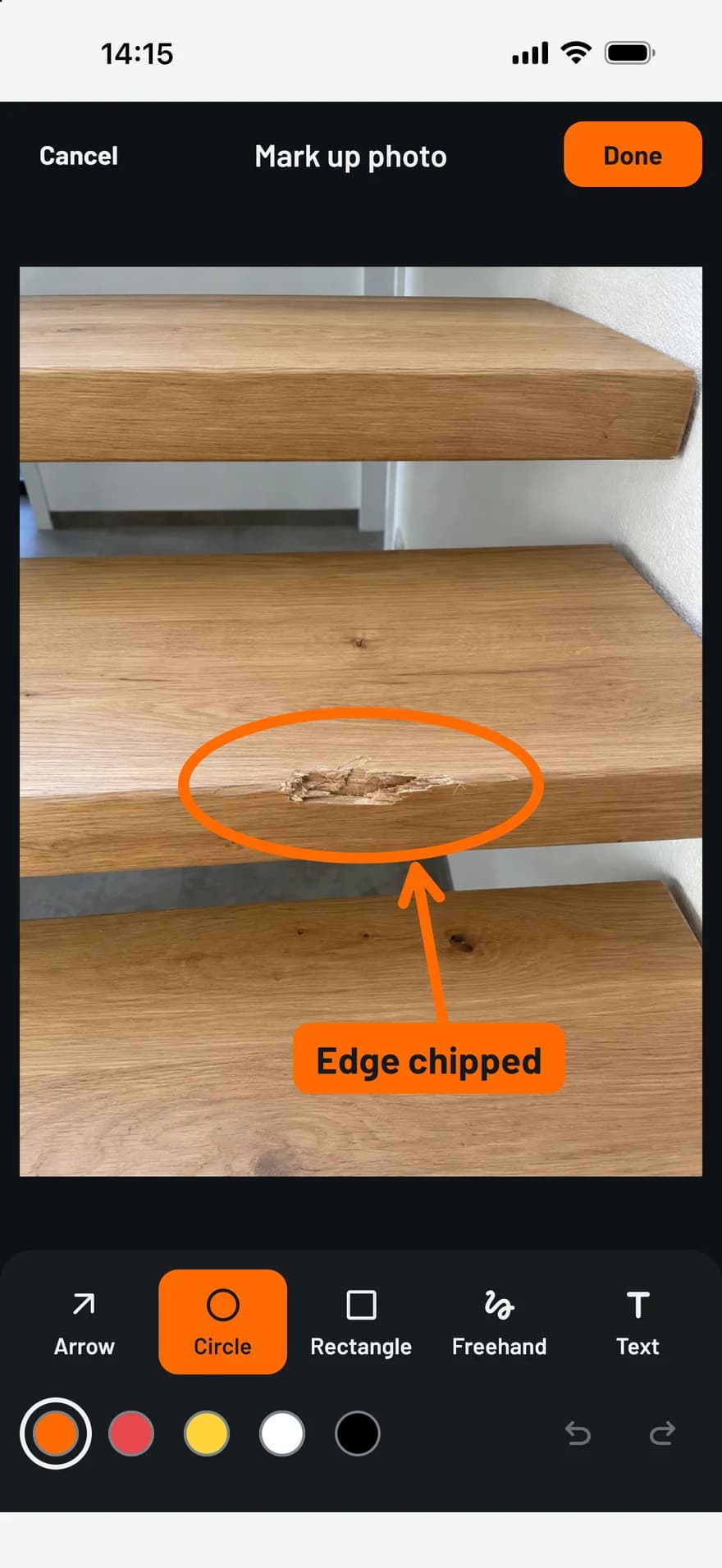
  • Mark up job site photos

    Arrows, circles, rectangles and text show exactly what is meant. The original photo stays untouched.

    TagFix photo editor: a damaged stair tread marked with a circle, an arrow and a text label
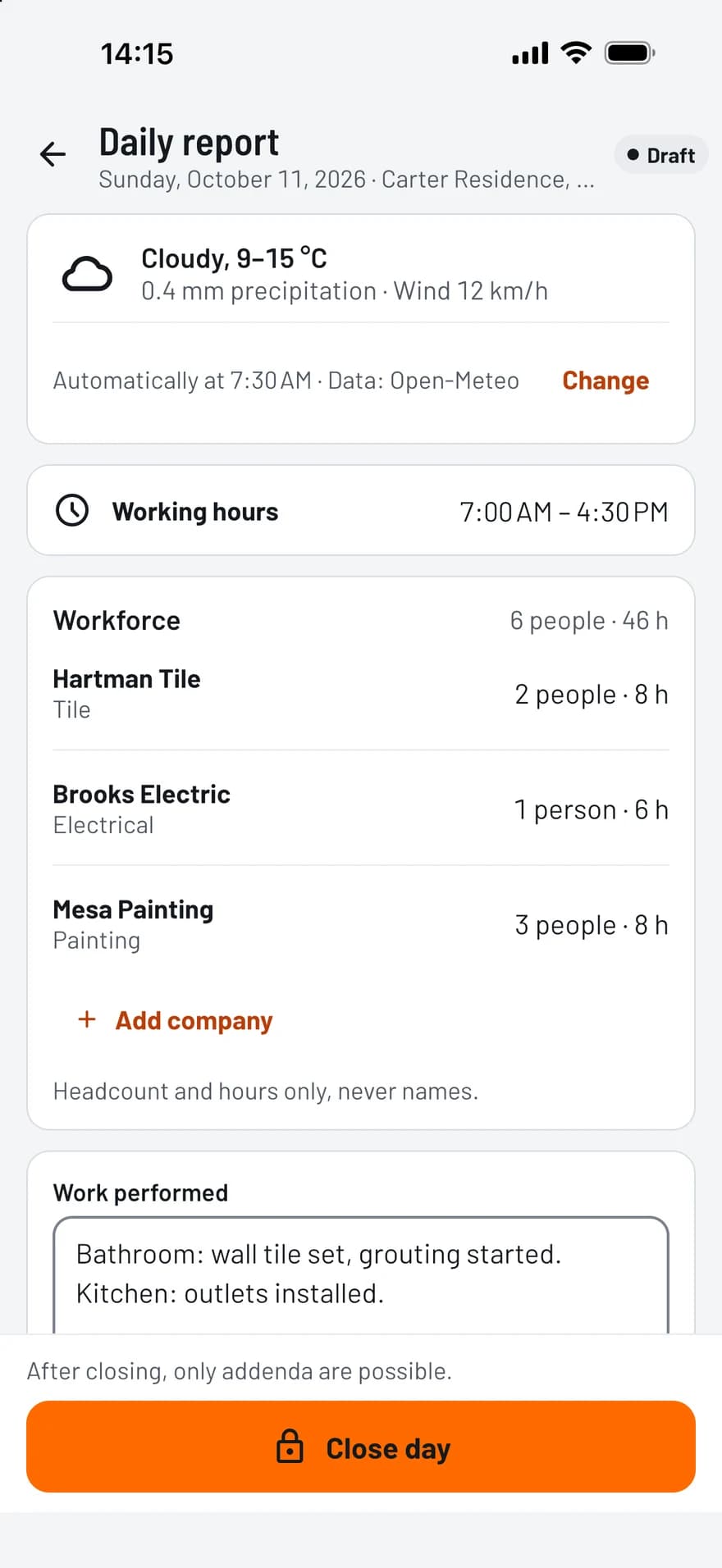
  • Site diary with weather and workforce

    The weather can fill in automatically, and one tap copies workforce and equipment from the day before.

    TagFix daily report with weather, working hours and workforce per company
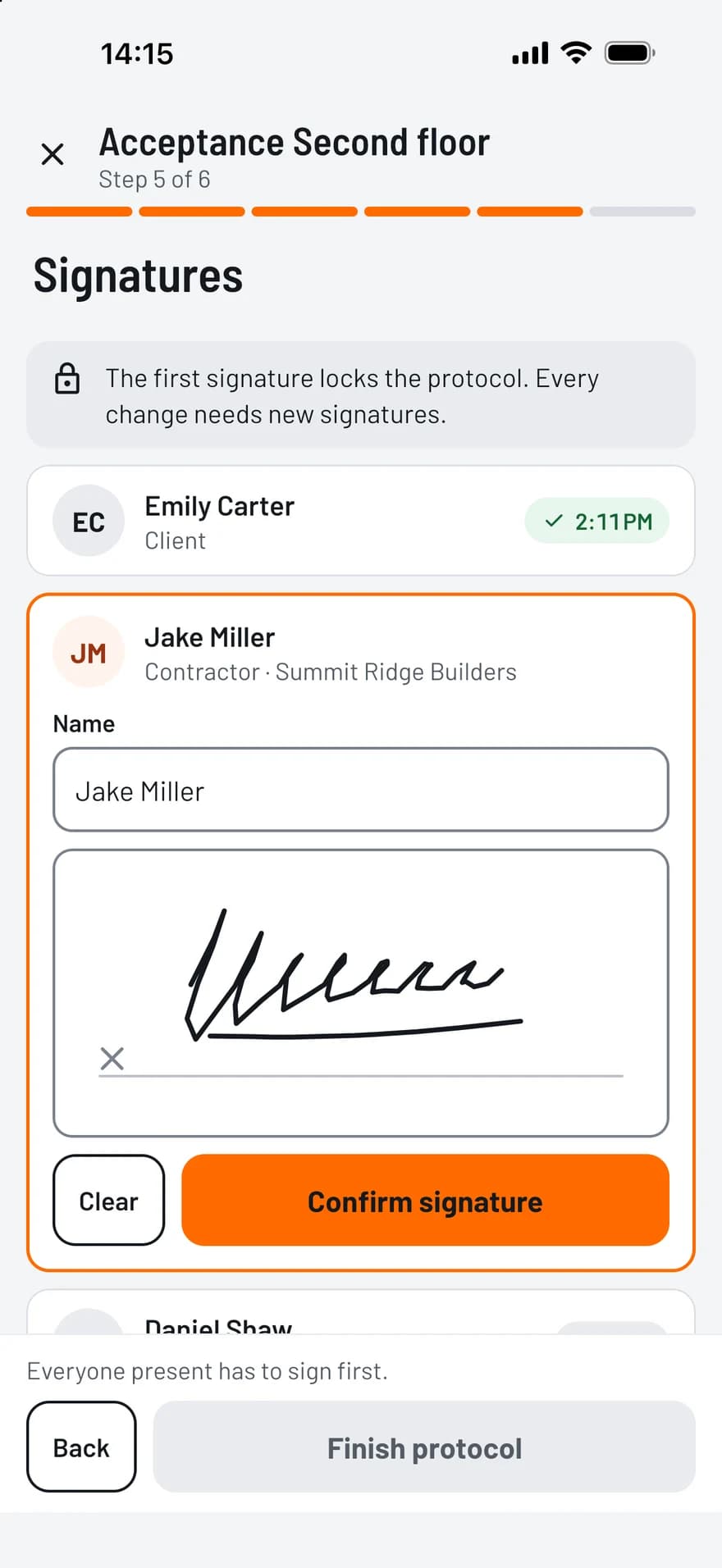
  • Handover signed on site

    Record participants, defects and reservations, then collect the signatures on the screen. It works without a network.

    TagFix handover protocol: one party has signed, the next signs on the screen

PDF reports, ready to share

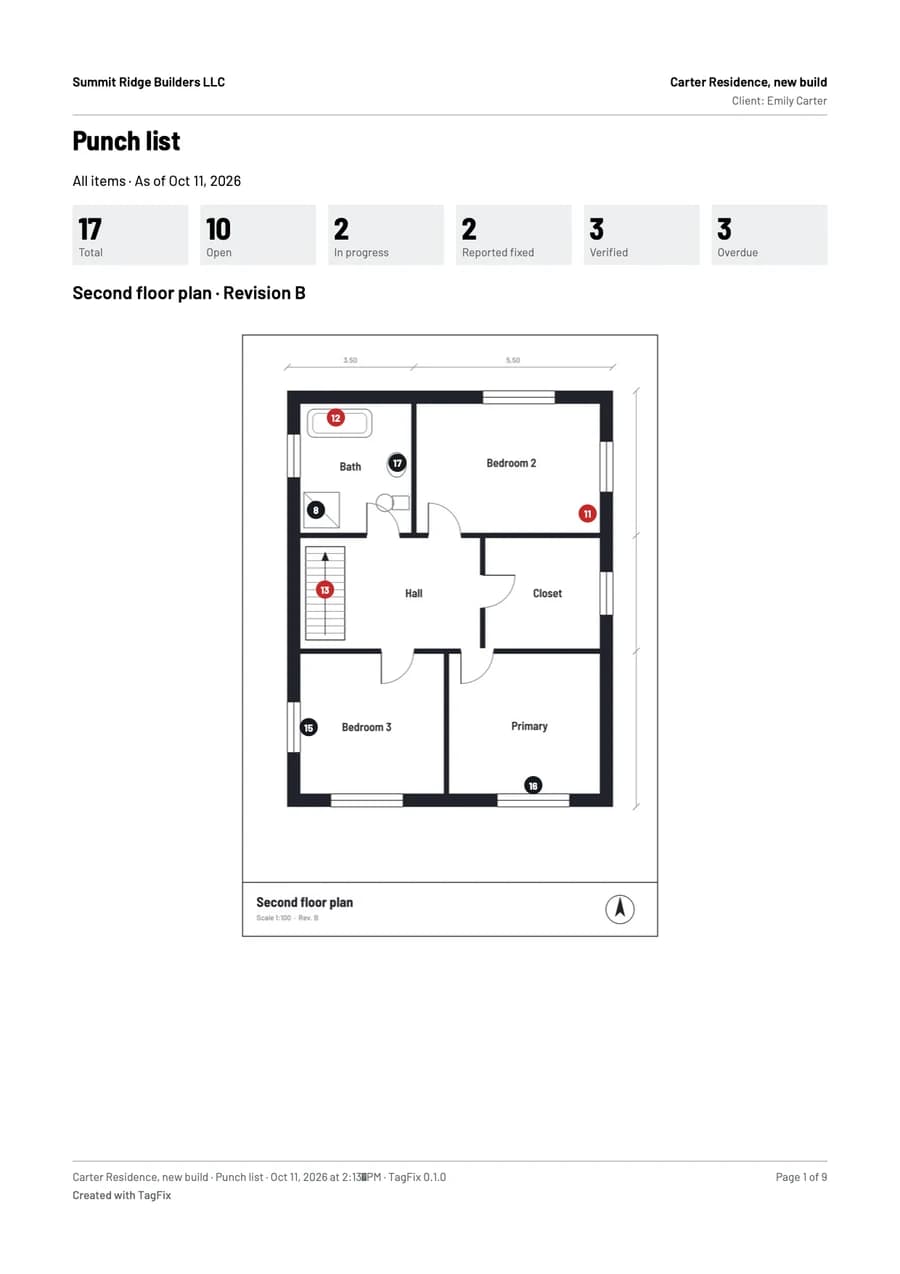
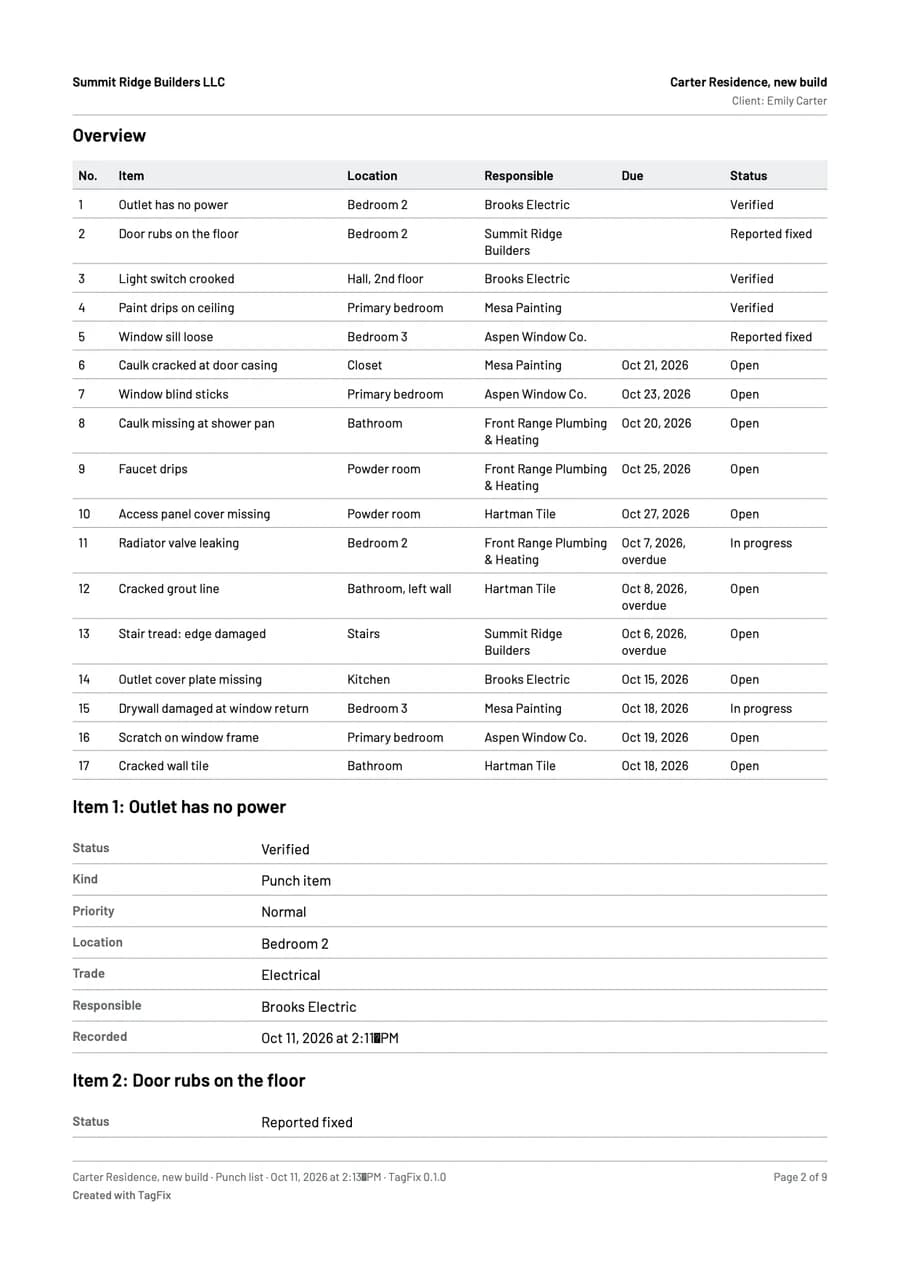
A few taps turn your records into a clean PDF, with your photos and your plan.

  • Punch list report: all items, per company, only open or only overdue
  • Site diary: a single day or a date range, with or without photos
  • Handover protocol with the signatures and the defects as an appendix
  • Creating and sharing reports is free in every plan
First page of a punch list report from TagFix, with the counts per status and a floor plan with pinsSecond page of the report: a table of all punch items with location, company, due date and status

Your data stays on your device

TagFix has no server that stores your projects. What you record belongs to you.

  • Works offline

    In the basement or without reception: everything works except the weather lookup and purchases.

  • No account

    Install, open, start. No registration and no password.

  • Backup in an open format

    Export everything or a single project as a ZIP file and restore it on any device.

  • No ads

    Crash reports and usage statistics stay off until you turn them on.

Who TagFix is for

  • Trade businesses

    Photos and notes per job site, a record of delays and a clean handover with the customer.

  • Site managers

    A diary for every day, defects per trade with due dates, and a protocol for every handover.

  • Private home builders

    Follow the progress, collect defects and prepare the handover of your home.

Free to start

The free plan includes every feature for one project. You pay only when you need more.

  • Free

    For your first project

    $0

    forever

    • 1 active project
    • Up to 25 punch items and 10 diary entries
    • Every feature included
    • PDF reports carry a “Created with TagFix” line
  • Project Pass

    One project without limits

    $49.99

    one-time purchase

    • Unlimited punch items and diary entries in one project
    • Your letterhead and logo on reports
    • No “Created with TagFix” line
    • Can be moved to another project
  • Pro

    14 days free

    Unlimited projects

    $99.99

    per year

    or $12.99 per month

    Save 36% with the yearly plan

    • Unlimited active projects
    • Your letterhead and logo on reports
    • No “Created with TagFix” line
    • 14-day free trial, cancel anytime
See all prices

Frequently asked questions

Does TagFix work offline?

Yes. You can capture defects, write daily reports, sign handovers and create PDF reports without a network. Only the automatic weather lookup and purchases need a connection.

Do I need an account?

No. TagFix works without registration, email address or password.

Where is my data stored?

On your device, in the app’s private storage. Project data leaves the device only when you share a report or export a backup. On an iPhone or iPad it is also part of the iCloud device backup if you have turned that on.

What does TagFix cost?

TagFix is free for one active project with up to 25 punch items and 10 diary entries. The Project Pass removes the limits for one project with a one-time purchase, and Pro covers unlimited projects as a subscription.

All questions and answers

Guides for the job site

Practical help for documenting a job site, with checklists and examples.

  • How to Write a Construction Daily Report

    What belongs in a daily report, how to write entries that hold up later, and the mistakes to avoid. With a checklist and an example.

    Read the guide
  • Punch List Template: What to Include, With an Example

    How to set up a punch list, describe each item so nobody has to guess, and track it until it is done. With an example table.

    Read the guide
  • Final Walkthrough Checklist: What to Check and Record

    What to record at the final walkthrough, how to prepare for it and how to go through the building. With a checklist.

    Read the guide
  • Snagging Checklist for a New-Build Home

    What to look for when you snag a new-build home, room by room, and how to record each snag so the builder can fix it.

    Read the guide
All guides

Try TagFix on your next site visit

Free to start, without an account.